https://www.webull.ca/offers-promotions/deposit
– 2% match to all Cash/Margin/TFSA/RRSP deposits or transfers by October 31 – paid over 12 installments to your cash account (monthly for 12 months.)
– Note there is a 90 day hold period specified for each reward payment. So its 12 months + 90 days for full term payout. T&Cs lack clarity on withdrawals causing clawbacks (safest option is expect ALL funds locked in until promo completion)
– Webull also provides up to two transfer reimbursements of $150 (one for cash/margin transfer, and one for tfsa/rrsp), as well as an initial deposit bonus (which can vary).
Additionally – there are two stackable Referral reward programs:
– Elevated Referral (based on ATON transfer amount) that was recently extended to Oct.31st – existing users can refer new users for up to $3000 extra (advisable to split with someone if you can),
If you transfer 10k-50k, referrer gets $250.
If you transfer 50k-99k, referrer gets $1000.
If you transfer 100k-499k, referrer gets $1500.
If you transfer $500k+, referrer gets $3000
AND
– Secondary Referral (based on the referee’s initial deposit) – this can be either $100 or $200 to the referrer, depending on whether $100 or $1000 is deposited by the referee via etransfer or EFT.
As a new user, here is a potential step-by-step guide (boiled down to just the specifics for reward optimization) – Thanks to various members of the community throughout previous Webull threads for helping consolidate all this information!
1. Sign up via a referral link through the main website (your own or someone who will split reward with you – you must use the link, no way to retroactively apply except by asking support) (up to $3200 split)
1a. (Note you will get $100 less for your initial deposit promo if you use a referral, hence why you want to split with initial referral if possible)
1b. If you have family members/friends to enroll, start the referral chain with the lowest valued member, and then just roll it along.
2. Download the app, go through Promo Centre, enroll in everything (2% match promo, reimbursements, initial deposit promos, etc.)
3. Initiate first deposit of $100+ depending on promos/referral, via either Flinks/Plaid EFT or Vopay e-transfer partner (to qualify for initial deposit terms, watch for clawback caveats, 90 day hold etc.)
4. Once that has cleared, initiate account transfer(s) – note that ONLY the first ATON/account transfer is eligible for the elevated referral tier bonus (so transfer largest first if doing multiple). All Cash/Margin/TFSA/RRSP amounts are eligible for 2% match, if enrolled, and as applicable. (up to $20k reward)
4a. Initial deposit reward is $150 without referral, or $50 with one – secondary referral is either $100 or $200, and elevated is at least $250 or $125 split so still a good deal (if new user is transferring 10k+ total)
4b. Transfer reimbursements are only 2x $150 (one cash/margin, and one tfsa/rrsp – make sure you you designate TFSA as preferred deposit in the app – Rewards Centre, top right 3 dots) – confirmed extended through 2025
5. Account transfers once cleared (by Oct.31 per current t&c), must be held for 60 days for any elevated referral boost up to $3000 (paid to referrer only)
6. Transfers must also continue to be held for duration of 12 month + 90 day hold period per regular 2% offer Terms & Conditions. (make sure you abide all offer terms for your specific promo)
7. Hold all asset amounts until end of promo & payouts (collect any and all bonus initial deposit, reimbursements, referral rewards in the app Rewards Centre along the way – they may claw back if you miss collecting!)
Timelines for Reward Payments:
-2% bonus: First payment received 35 days after Oct 31 (roughly December 5th) and paid out in 12 monthly installments. (to be claimed in the Reward Centre)
-$100 or $200 bonus for referrer: Paid out within a few business days of referee depositing $100 or $1000 (depending on promo)(need to activate it in your ‘My Rewards’)
-$50 bonus for the referee: Paid out 3 business days after Oct 31, roughly Nov 5th. (claim in the app within 30 days from when the reward is issued)
-Elevated Referral bonus for the referrer: Paid out after 60 days of the referee’s first ATON transfer. (TBD whether you need to manually activate it in ‘My Rewards’)
Referral Tracking Tips:
If your Referee didn’t register fully (providing personal info, SIN #, etc.), they can delete the account by going to: Menu → Settings → Account & Security → Delete Account. Then re-register using the referral link.
Referrers can check if the referee has registered properly via: Promo Center → Referral Promo → My Invitees
If you originally signed up using a phone number, and then tried again in the Webull app using a different method, it might not link correctly. Make sure to tap “Log in” (not “Sign up”) and use the same method you originally used to register.
How to Confirm You’re Enrolled in the 2% Promo:
In the app, tap Menu in the bottom right, then Promotion Centre near the top. Per Webull, you are eligible for any promotions that appear here. Tap on the 2% offer and then scroll to the bottom where it says: “Tap on Enroll Today to activate this promotion.” If you see a checkmark and “Enrolled” in small blue font, you’re officially in.
Transfer tips:
-You can check the status of your transfer by tapping the account then Transfers →Transfer In → (top-right icon). Should show something like “Processing” or “Completed”. (this will remain Processing long after your transfers are completed, just in case of residuals remaining. You can manually ask support to close it out if it bothers you.)
-Transfer timelines: Roughly 2-2.5 weeks currently, though it can be faster. Quoted standard for ATON transfers is 10 business days.
-Transfer tip for TD Users: If you’re transferring both CAD and USD accounts from TD DI, you can list both account numbers on the same Webull transfer form by separating them with a comma. (YMMV per some users, Webull says to send as two separate requests)
-Some users have reported that if you have assets in both CAD and USD at TD, you can journal them into one account before transferring in order to potentially qualify for a higher referral tier “first transfer” bonus.
-Make sure to sell any fractional shares, mutual funds, or other unsupported assets prior to initiating transfer requests or they may be rejected. Delisted stocks might need to be removed, etc. so make sure you know in advance what you are transferring. You can specify a partial transfer down to individual asset amounts when doing your request.
Statistics: Posted by Nocturnalshadow — Sep 1st, 2025 11:25 am
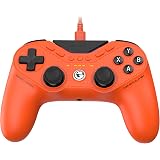
GameSir Tarantula 8K PC Wired Esports Controller for Windows | 8000hz Polling Rate, Gen-2 TMR Sticks, Hall Effect Triggers, 9 Remappable Macro Buttons, Six-Axis Gyroscope, RGB Lighting
$99.99 (as of October 30, 2026 23:04 GMT +00:00 – More infoProduct prices and availability are accurate as of the date/time indicated and are subject to change. Any price and availability information displayed on [relevant Amazon Site(s), as applicable] at the time of purchase will apply to the purchase of this product.)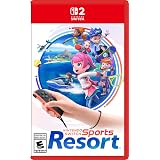
Nintendo Switch™ Sports Resort (CAN Version) – Physical Edition
$84.96 (as of October 30, 2026 23:04 GMT +00:00 – More infoProduct prices and availability are accurate as of the date/time indicated and are subject to change. Any price and availability information displayed on [relevant Amazon Site(s), as applicable] at the time of purchase will apply to the purchase of this product.)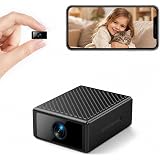
Hidden Camera 4K Ultra HD, Mini WiFi Indoor Camera with Night Vision & 160° Wide Angle, Motion Detection & Real-Time App Alerts, Battery Powered, Micro SD & Cloud Storage for Home & Office Security
$39.99 (as of October 30, 2026 23:04 GMT +00:00 – More infoProduct prices and availability are accurate as of the date/time indicated and are subject to change. Any price and availability information displayed on [relevant Amazon Site(s), as applicable] at the time of purchase will apply to the purchase of this product.)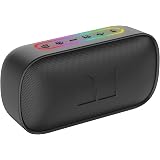
Monster S150 Bluetooth Speaker, IPX7 Waterproof Portable Speaker, 24W Stereo Sound with Pure Bass, Bluetooth 6.0, TWS Pairing, HD Calling, RGB Lights, 20H Playtime, Perfect for Home/Party/Beach, Gifts
$39.99 (as of October 30, 2026 23:04 GMT +00:00 – More infoProduct prices and availability are accurate as of the date/time indicated and are subject to change. Any price and availability information displayed on [relevant Amazon Site(s), as applicable] at the time of purchase will apply to the purchase of this product.)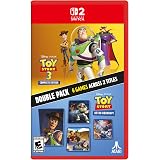
Toy Story: Retro Roundup! + Toy Story 3 Complete Edition Double Pack for Nintendo Switch 2
$64.99 (as of October 30, 2026 23:04 GMT +00:00 – More infoProduct prices and availability are accurate as of the date/time indicated and are subject to change. Any price and availability information displayed on [relevant Amazon Site(s), as applicable] at the time of purchase will apply to the purchase of this product.)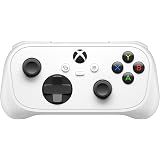
XBOX Nano Controller (XBOX consoles, Windows PC, iOS & Android, Select Smart TVs)
$69.99 (as of October 30, 2026 23:04 GMT +00:00 – More infoProduct prices and availability are accurate as of the date/time indicated and are subject to change. Any price and availability information displayed on [relevant Amazon Site(s), as applicable] at the time of purchase will apply to the purchase of this product.)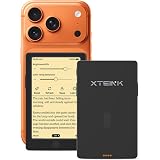
XTEINK X4 Pro 4.3″ E-Reader, Mini Reader,Front Light & Touchscreen,Magnetic | 72g Lightweight,5.95mm Thin,Physical Page-Turn Buttons, Magnetic Charging,1100mAh Battery, Magnetic Back, Multi-Format
$139.00 (as of October 30, 2026 23:04 GMT +00:00 – More infoProduct prices and availability are accurate as of the date/time indicated and are subject to change. Any price and availability information displayed on [relevant Amazon Site(s), as applicable] at the time of purchase will apply to the purchase of this product.)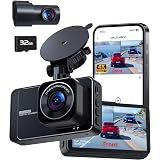
Dash Cam Front and Rear Camera with 5G WiFi, 4K+2K Dashcams for Cars with App Control, Night Vision, G-Sensor, Loop Recording, 24H Parking Mode, 170°Wide Angle, Included 32GB SD Card
$99.99 (as of October 30, 2026 23:04 GMT +00:00 – More infoProduct prices and availability are accurate as of the date/time indicated and are subject to change. Any price and availability information displayed on [relevant Amazon Site(s), as applicable] at the time of purchase will apply to the purchase of this product.)
Call of Duty Modern Warfare 4 (Amazon Exclusive) – Playstation 5
$89.99 (as of October 30, 2026 23:04 GMT +00:00 – More infoProduct prices and availability are accurate as of the date/time indicated and are subject to change. Any price and availability information displayed on [relevant Amazon Site(s), as applicable] at the time of purchase will apply to the purchase of this product.)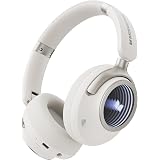
Monster Persona 4th ANC Active Noise Canceling Headphones, Wireless Bluetooth Over Ear Headphones with 3 EQ Modes, and 70H Playtime,Deep Bass,Bluetooth 6.0, Foldable Comfort Design for Travel, Fitness
$69.99 (as of October 30, 2026 23:04 GMT +00:00 – More infoProduct prices and availability are accurate as of the date/time indicated and are subject to change. Any price and availability information displayed on [relevant Amazon Site(s), as applicable] at the time of purchase will apply to the purchase of this product.)
Blink Plus Plan with monthly auto-renewal
$15.00 (as of October 31, 2026 21:48 GMT +00:00 – More infoProduct prices and availability are accurate as of the date/time indicated and are subject to change. Any price and availability information displayed on [relevant Amazon Site(s), as applicable] at the time of purchase will apply to the purchase of this product.)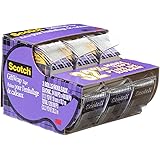
Scotch Tape Gift Wrap Tape, 19mm Wide x 10.1m, 3 Rolls in Dispensers
$4.98 (as of October 31, 2026 19:37 GMT +00:00 – More infoProduct prices and availability are accurate as of the date/time indicated and are subject to change. Any price and availability information displayed on [relevant Amazon Site(s), as applicable] at the time of purchase will apply to the purchase of this product.)
Blink Outdoor 4 – Wireless smart security camera, two-year battery life, 1080p HD day and infrared night live view, two-way talk. Required Sync Module not included – Add-on camera
$36.99 (as of October 31, 2026 21:48 GMT +00:00 – More infoProduct prices and availability are accurate as of the date/time indicated and are subject to change. Any price and availability information displayed on [relevant Amazon Site(s), as applicable] at the time of purchase will apply to the purchase of this product.)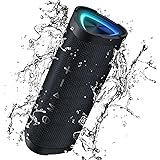
Bluetooth Speakers,Vanzon V40 24W Loud Sound Wireless Portable Speaker | Deep Bass, 24H Playtime, IPX7 Waterproof, TWS Pairing, RGB Lights, for Outdoor/Home/Party/Beach/Travel,Great Gift
$29.99 (as of October 31, 2026 21:48 GMT +00:00 – More infoProduct prices and availability are accurate as of the date/time indicated and are subject to change. Any price and availability information displayed on [relevant Amazon Site(s), as applicable] at the time of purchase will apply to the purchase of this product.)
Staedtler Double-hole Tub Pencil Sharpener – 2 Hole(s) – Plastic
$5.49 (as of October 31, 2026 19:37 GMT +00:00 – More infoProduct prices and availability are accurate as of the date/time indicated and are subject to change. Any price and availability information displayed on [relevant Amazon Site(s), as applicable] at the time of purchase will apply to the purchase of this product.)
Amazon Basics 3-Button USB Wired Computer Mouse (Black), 1-Pack
$10.99 (as of October 31, 2026 21:05 GMT +00:00 – More infoProduct prices and availability are accurate as of the date/time indicated and are subject to change. Any price and availability information displayed on [relevant Amazon Site(s), as applicable] at the time of purchase will apply to the purchase of this product.)
BIC Round Stic Extra Life Ballpoint Pens, School Supplies for Teachers and Students, 60-Count in Black
$8.68 (as of October 31, 2026 19:37 GMT +00:00 – More infoProduct prices and availability are accurate as of the date/time indicated and are subject to change. Any price and availability information displayed on [relevant Amazon Site(s), as applicable] at the time of purchase will apply to the purchase of this product.)
Nintendo Switch™ 2 System
$679.96 (as of October 31, 2026 21:05 GMT +00:00 – More infoProduct prices and availability are accurate as of the date/time indicated and are subject to change. Any price and availability information displayed on [relevant Amazon Site(s), as applicable] at the time of purchase will apply to the purchase of this product.)
Wireless Earbuds, Bluetooth Headphones 5.4 HiFi Stereo Wireless Earphones | ENC Noise Cancelling Mic, IP7 Waterproof in Ear Headphones, LED Digital Display Ear Buds for Work/Sport, Touch Control, Black
$29.99 (as of October 31, 2026 21:48 GMT +00:00 – More infoProduct prices and availability are accurate as of the date/time indicated and are subject to change. Any price and availability information displayed on [relevant Amazon Site(s), as applicable] at the time of purchase will apply to the purchase of this product.)